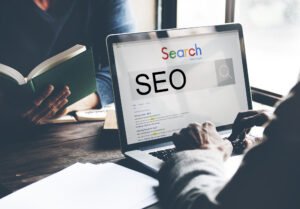
Yes, clean structure, fast loading, optimized images, and internal linking help search engines and users.

A high-performing online store is not only about products and pricing. Your WooCommerce website design plays a direct role in how visitors browse, trust your brand, and complete purchases. When your store loads fast, looks professional, and removes friction from checkout, you naturally increase conversions. In this guide, you’ll learn the must-have design features that help a WooCommerce store generate more sales, improve customer experience, and build long-term trust.
Most shoppers come from mobile devices, so your WooCommerce layout must be built for thumbs, small screens, and quick decisions. Use a clean header with a compact menu, visible search, and an easy-to-tap cart icon. Product grids should adapt smoothly to screen sizes with readable text and clear spacing.
A mobile-first design also means fast scrolling, minimal popups, and checkout fields that are easy to complete on a phone. If mobile visitors struggle, they will leave before they ever reach your product pages.
Speed is a sales feature. A slow store increases bounce rates and reduces completed orders. Optimize images, use lightweight fonts, and avoid heavy sliders or animations that delay page load. A well-structured WooCommerce design prioritizes performance without sacrificing branding.
Also consider using caching, a reliable hosting setup, and optimized themes that are built for eCommerce. When pages load quickly, visitors browse more products and complete checkout with less hesitation.
If shoppers can’t find what they want, they won’t buy. Your WooCommerce store should have simple category navigation, logical product filters, and a search bar that actually helps users. Add predictive search suggestions, popular searches, and quick access to top categories.
Your product page is your main sales page. A conversion-focused WooCommerce product layout includes high-quality images, a clean gallery, and zoom functionality. Place your price, variants, and add-to-cart button above the fold with a strong visual hierarchy.
Add trust-building content such as shipping details, returns policy, delivery time, and warranty information near the add-to-cart area. Include clear product descriptions, size guides, FAQs, and customer reviews to remove doubts. The goal is to answer questions before they become objections.
People buy when they feel safe. Add visible trust elements across your WooCommerce site, especially on product and checkout pages. Common trust signals include SSL security indicators, accepted payment icons, verified reviews, and a clear return policy.
Include your contact details, live chat or WhatsApp button, and a professional About section that shows your business is real. When trust is strong, conversions rise naturally.
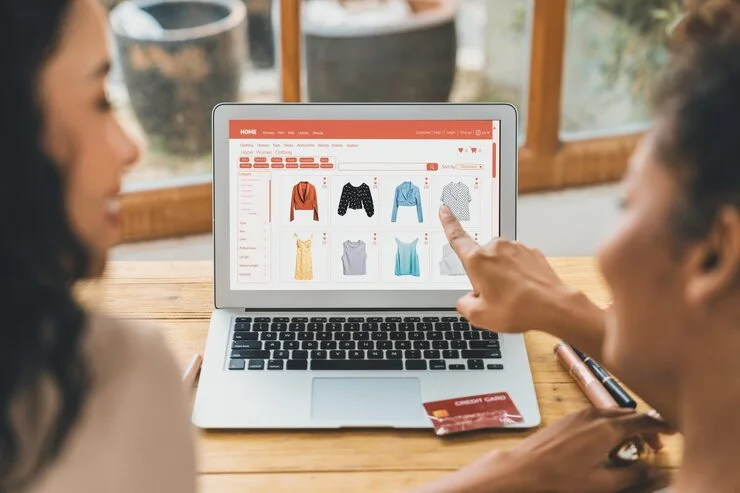
Checkout is where sales are won or lost. A modern WooCommerce checkout should be short, clean, and distraction-free. Reduce unnecessary form fields, enable guest checkout, and provide multiple payment options.
Use progress indicators, clear error messages, and autofill support where possible. Also add order summary visibility so customers don’t feel surprised by totals. The smoother the checkout, the higher the completed purchase rate.
Great design creates consistency. Use a clean color palette, readable typography, and consistent button styles across the site. Your WooCommerce store should look trustworthy and premium, not cluttered or inconsistent.
Your branding should support product discovery and buying decisions. Use whitespace, clear headings, and strong call-to-action buttons that stand out. A consistent UI reduces confusion and keeps customers focused on shopping.
Design impacts rankings too. A search-friendly WooCommerce site uses proper heading structure, clean URLs, optimized images, and internal linking to key categories and products. Add schema for products and reviews, and ensure your pages are accessible and crawlable.
Create content blocks on category pages, add FAQ sections, and link related products to increase time on site. SEO-friendly design helps you attract higher-intent traffic that converts.
A sales-driven WooCommerce website design is a blend of speed, trust, usability, and conversion strategy. When your store is mobile-first, loads fast, makes navigation easy, and delivers a frictionless checkout, you build a buying experience customers enjoy. Focus on these must-have features, test improvements regularly, and your WooCommerce store can turn more visitors into paying customers while building a stronger brand over time.
Fast speed, mobile-first layout, strong product pages, trust signals, and a smooth checkout experience.
Very important, because most eCommerce traffic is mobile and poor mobile UX reduces sales quickly.
Homepage, category pages, product pages, cart, and checkout because they impact conversions the most.
Reduce fields, enable guest checkout, show clear totals, offer multiple payments, and remove distractions.
Yes, clean structure, fast loading, optimized images, and internal linking help search engines and users.
Home > Introduction In today’s digital world, web development plays a major role in helping startups and brands grow online. A professional website is often.

Home > Introduction In today’s competitive digital world, businesses can no longer rely on basic online presence alone. To stay ahead, brands need SEO Services.